How to configure your Shopify custom apps
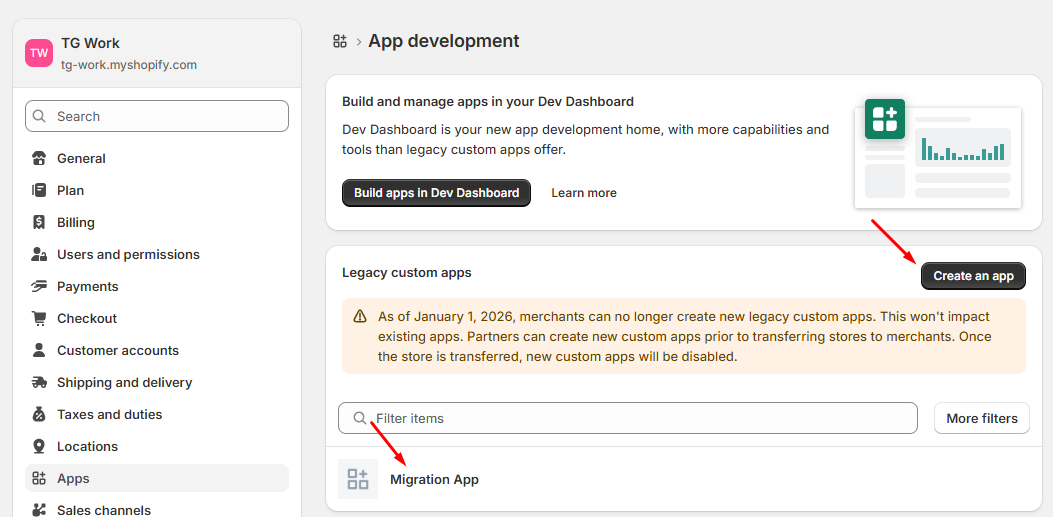
Log in to your Shopify store admin panel, navigate to Settings > Apps and sales channels > Develop apps. Click on Create an app and name it (e.g. "Data Migration").Make sure this thing to do on both Store
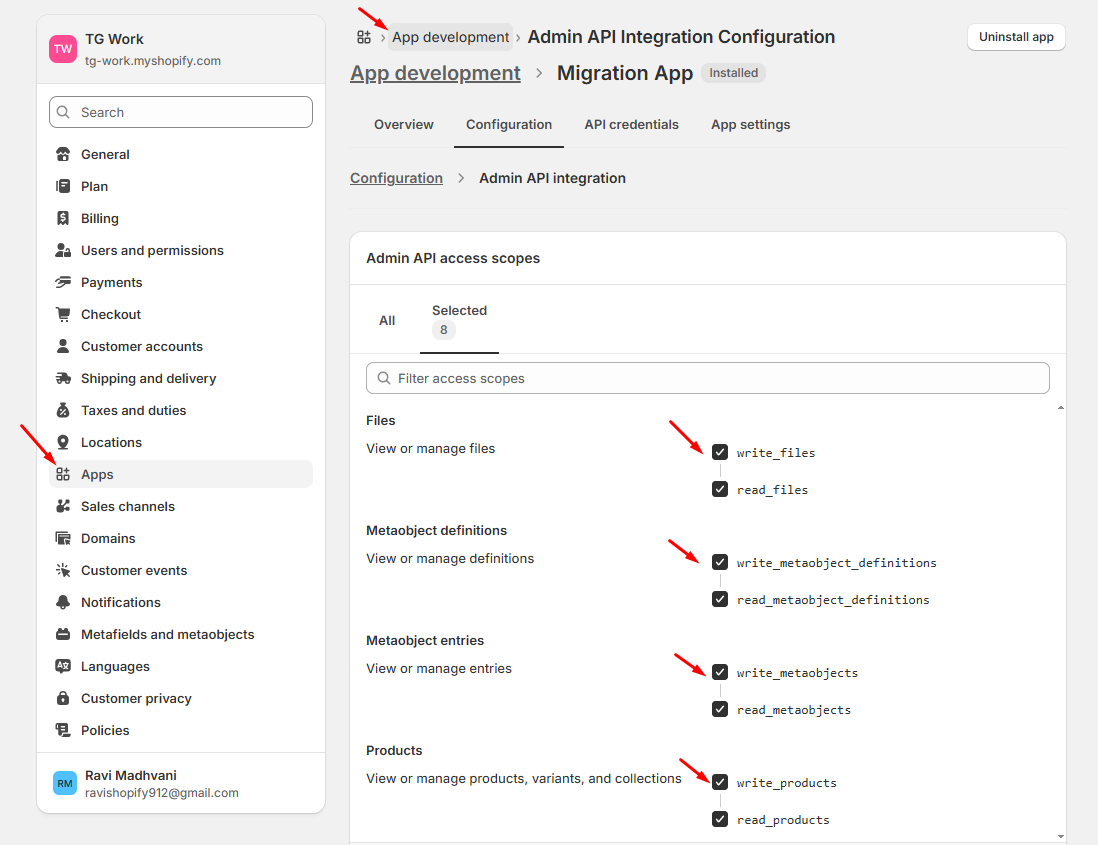
Open your new app, click Configuration > Configure Admin API integration, and select the scopes you need. Ensure you select write and read permissions for metaobjects, files, products, and collections.Make sure this thing to do on both Store
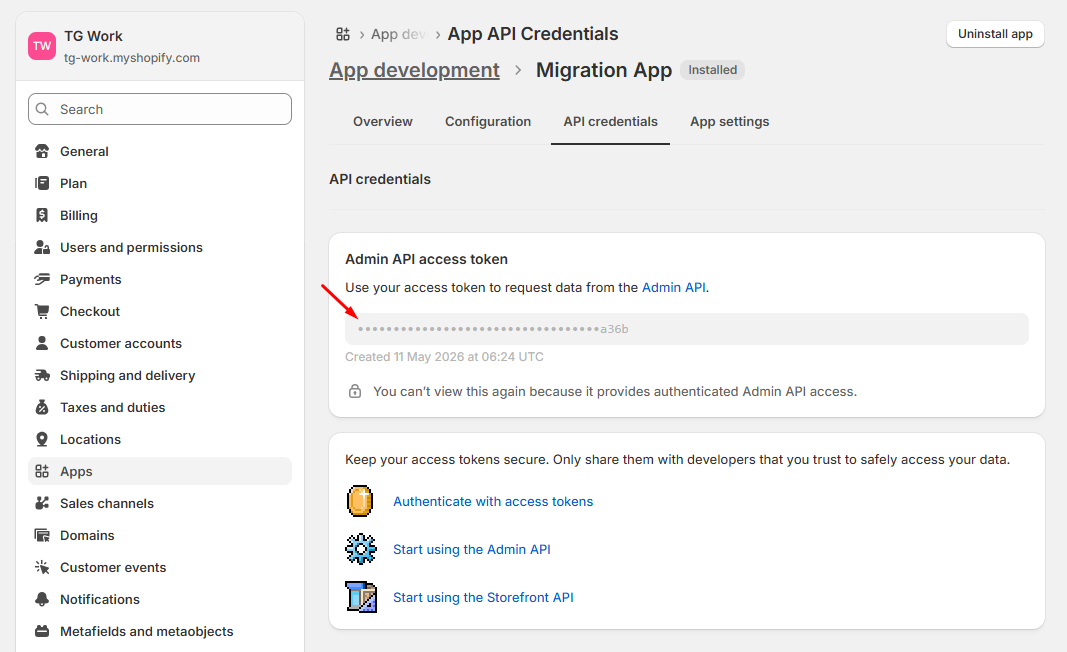
Go to the API credentials tab and click Install app. Under the Admin API access token section, click Reveal token once and copy it (it will start with shpat_).Make sure this thing to do on both Store
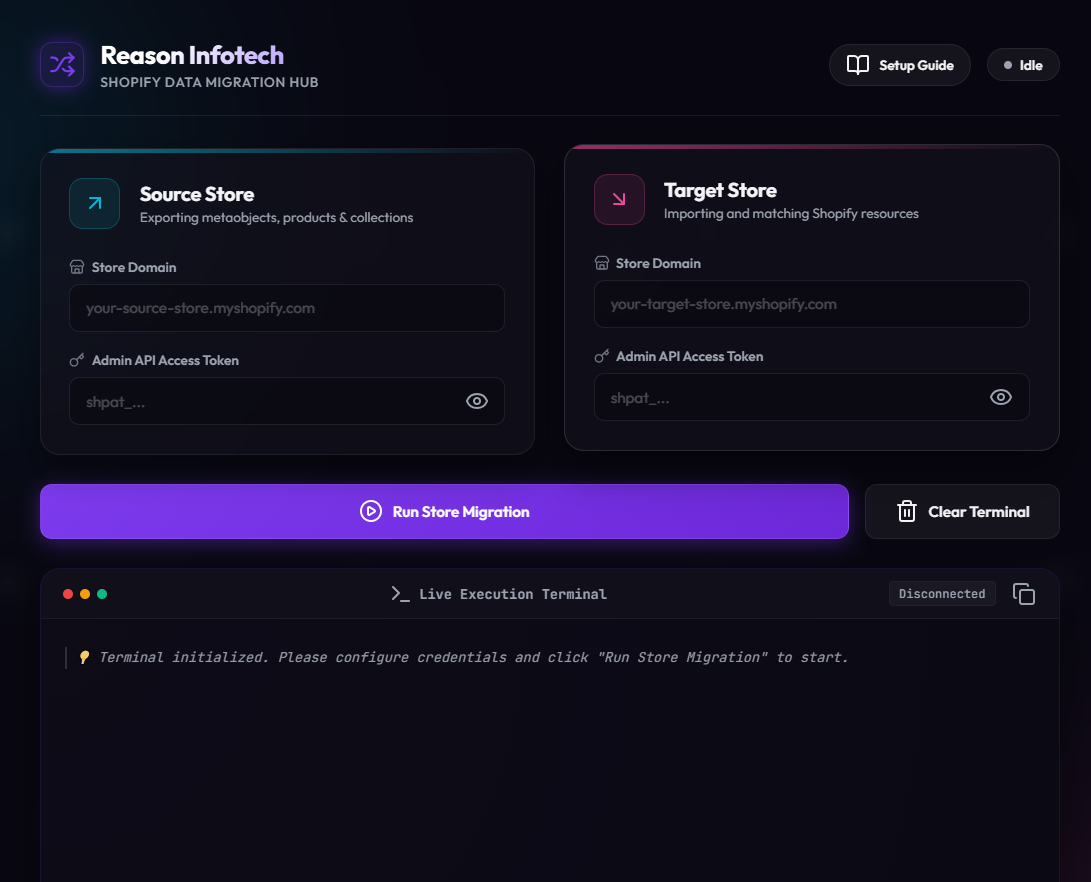
Paste the revealed tokens into the Source and Target fields, check that your store subdomains are accurate, and click Run Store Migration to launch the migration!